
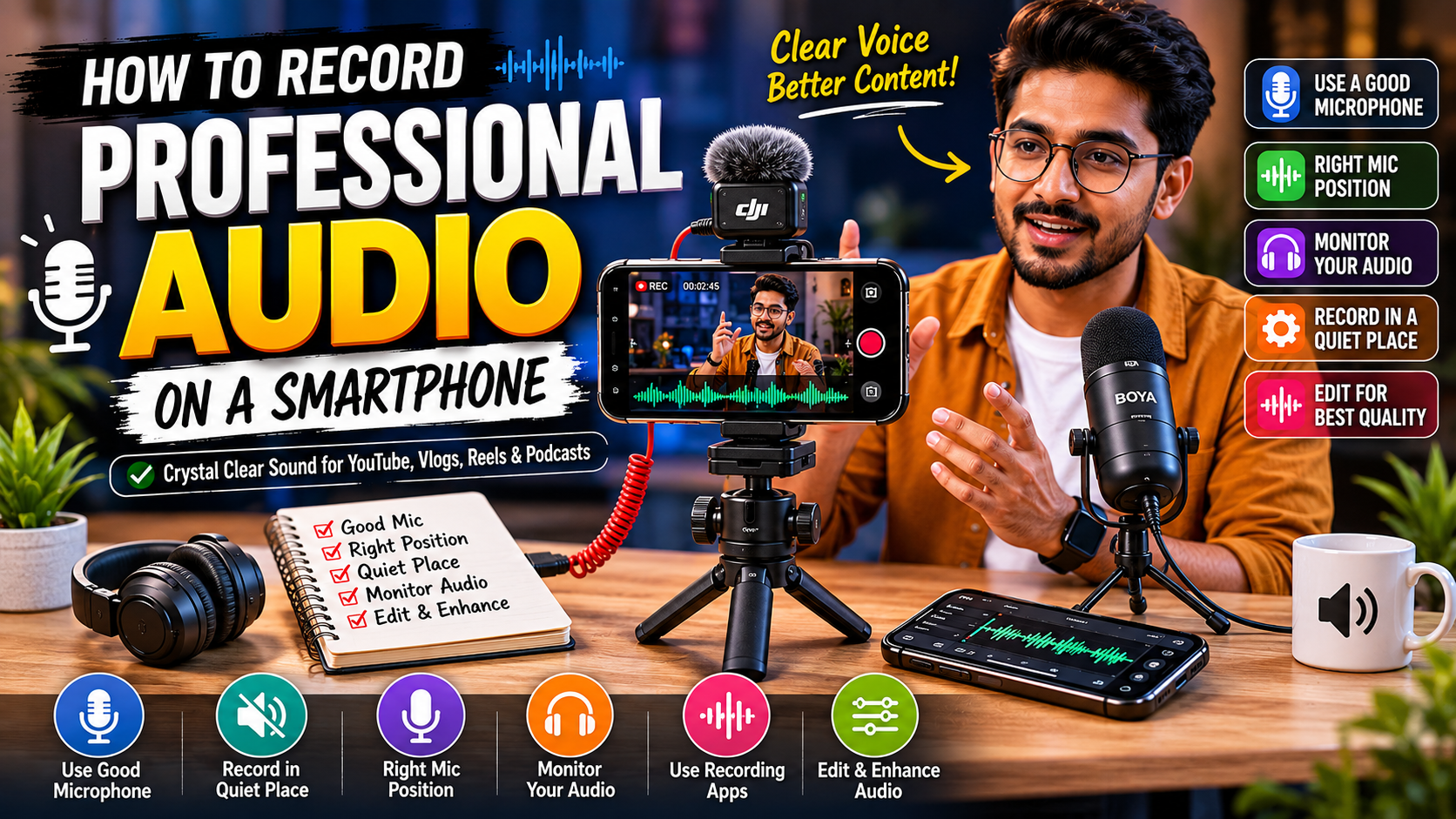
Modern smartphones are capable of recording incredible video quality, but poor audio can instantly make your content look unprofessional. Whether you’re creating YouTube videos, Instagram Reels, podcasts, interviews, online courses, or vlogs, high-quality audio is often more important than video quality.
The good news is that you don’t need an expensive studio setup. With the right techniques and accessories, you can record professional audio directly from your smartphone.
In this guide, you’ll learn the best smartphone audio recording tips used by content creators and filmmakers.
Why Audio Quality Matters More Than Video
Studies consistently show that viewers are more likely to stop watching a video with poor audio than one with average video quality.
Good audio helps:
- Increase viewer retention
- Improve professionalism
- Build audience trust
- Enhance storytelling
- Make content easier to understand
If your audio sounds clear and natural, viewers are far more likely to stay engaged.
1. Use an External Microphone
The built-in microphone on most smartphones is designed for phone calls, not professional content creation.
An external microphone can dramatically improve:
- Voice clarity
- Noise reduction
- Recording distance
- Overall sound quality
Best Microphone Types for Smartphones
Lavalier (Clip-On) Microphones
Best for:
- Interviews
- Educational videos
- Talking-head content
Benefits:
- Close to the speaker
- Consistent audio levels
- Affordable
Wireless Microphones
Best for:
- YouTube creators
- Vloggers
- Presentations
Benefits:
- Freedom of movement
- Clean audio
- Professional results
Popular options include DJI Mic and Hollyland wireless microphone systems.
Shotgun Microphones
Best for:
- Filmmaking
- Outdoor videos
- Product reviews
Benefits:
- Focuses on sound in front of the camera
- Reduces surrounding noise
2. Record in a Quiet Environment
Even the best microphone cannot completely remove loud background noise.
Avoid recording near:
- Traffic
- Fans
- Air conditioners
- Crowded areas
- Construction sites
For indoor recordings:
- Close windows
- Turn off unnecessary appliances
- Use curtains and carpets to reduce echo
A quiet room often improves audio quality more than expensive equipment.
3. Position the Microphone Correctly
Microphone placement has a huge impact on sound quality.
General recommendations:
Lavalier Microphone
Position:
- 6–8 inches below the mouth
Wireless Microphone
Position:
- Center of the chest
Shotgun Microphone
Position:
- As close to the speaker as possible without entering the frame
The closer the microphone is to the speaker, the better the audio quality.
4. Monitor Your Audio
Many creators discover audio problems only after recording.
Always monitor:
- Background noise
- Distortion
- Wind noise
- Low volume
Using headphones during recording can help identify issues before they ruin a shoot.
5. Use Professional Recording Apps
Dedicated recording apps offer better control than the default camera application.
Popular options include:
- Dolby On
- Filmic Pro
- Open Camera (Android)
- Blackmagic Camera App
- Voice Record Pro
These apps allow:
- Audio level monitoring
- Gain control
- Better recording formats
- Professional settings
6. Watch Your Audio Levels
Audio that is too loud can distort and become unusable.
Aim for consistent levels without clipping.
Ideal recording level:
- Peaks around -12 dB to -6 dB
This provides enough volume while maintaining clean sound quality.
7. Use a Windshield Outdoors
Wind is one of the biggest enemies of outdoor recording.
Solutions:
- Foam windscreen
- Deadcat wind muff
- Wind protection cover
These inexpensive accessories can dramatically improve outdoor audio recordings.
8. Keep the Smartphone Stable
Handling noise often gets picked up by microphones.
To avoid this:
- Use a tripod
- Use a smartphone cage
- Use a gimbal stabilizer
Stable mounting improves both audio and video quality.
9. Record in the Highest Available Quality
If your recording app allows format selection, choose:
- WAV
- Lossless formats
- High-bitrate audio
Avoid heavily compressed formats whenever possible.
Higher-quality recordings provide better results during editing.
10. Improve Audio During Editing
Professional creators rarely publish raw audio.
Basic editing can:
- Reduce noise
- Improve clarity
- Balance volume levels
- Remove unwanted sounds
Popular editing software includes:
- Audacity
- Adobe Audition
- DaVinci Resolve
- Final Cut Pro
- Premiere Pro
Even small adjustments can make recordings sound significantly more professional.
Recommended Smartphone Audio Setup for Beginners
| Equipment | Purpose |
|---|---|
| Wireless Microphone | Clear voice recording |
| Smartphone Tripod | Stability |
| Windshield | Outdoor recording |
| Monitoring Headphones | Audio checking |
| Recording App | Better control |
| Power Bank | Longer recording sessions |
Common Smartphone Audio Recording Mistakes
Avoid these mistakes:
❌ Recording too far from the microphone
❌ Recording in noisy environments
❌ Ignoring wind noise
❌ Using only the built-in microphone
❌ Not monitoring audio levels
❌ Forgetting to test recordings
Correcting these issues can instantly improve your content quality.
Best Smartphone Audio Setup for YouTubers
For YouTube creators, a simple setup can include:
- Smartphone
- Wireless microphone
- Mini tripod
- LED light
- Monitoring headphones
This combination delivers professional-quality audio and video without requiring an expensive camera.
Where to Buy Smartphone Audio Recording Accessories
If you’re looking for genuine microphones, smartphone rigs, tripods, LED lights, memory cards, and content creation accessories, visit Jaiswal Photo Goods in Nagpur.
You can explore a wide range of creator equipment suitable for YouTube, podcasting, mobile filmmaking, and professional content creation.
Frequently Asked Questions (FAQs)
1. Can I record professional audio using only a smartphone?
Yes. Modern smartphones can produce excellent audio when paired with a quality external microphone and proper recording techniques.
2. What is the best microphone for smartphone video recording?
Wireless microphones are generally the best choice for YouTube videos, vlogs, interviews, and content creation.
3. Which app is best for recording audio on a smartphone?
Dolby On, Filmic Pro, Open Camera, and Blackmagic Camera App are among the most popular options.
4. How do I reduce background noise while recording?
Record in a quiet environment, position the microphone close to the speaker, and use noise reduction during editing.
5. Is audio more important than video quality?
For most content types, clear audio has a greater impact on viewer retention than ultra-high video resolution.
Conclusion
Recording professional audio on a smartphone is easier than ever in 2026. By using an external microphone, choosing a quiet environment, monitoring audio levels, and applying basic editing techniques, you can achieve studio-quality sound without investing in expensive equipment.
Whether you’re a YouTuber, vlogger, educator, podcaster, or social media creator, mastering smartphone audio recording will instantly improve the quality and professionalism of your content.